



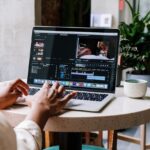
Video localization QA testing across playback devices is the final critical layer that ensures a localized video delivers the intended experience, no matter where or how an audience chooses to watch it. Even the most carefully adapted script, perfectly timed voiceover, and culturally adjusted visuals can fall apart when played back on different screen sizes, operating systems, and streaming environments.
Core functional checks for every device category
Start every QA cycle by running through a standard set of functional checks that apply to every playback environment you plan to support. Verify that all embedded localized subtitle tracks load correctly, render in the expected font and size, and do not get clipped by screen edges or overlapping UI elements. Confirm that all audio tracks switch seamlessly when viewers select different language options, and that there are no unexpected gaps, volume spikes, or audio sync drift between the new localized audio and the on-screen visuals.
Pay extra attention to how adaptive streaming behavior interacts with localized assets. Some devices will prioritize different bitrate profiles mid-playback, which can cause subtitle rendering to stutter, or lead to moments where the localized voiceover drops out temporarily before resuming. Test for these edge cases across the full range of common connection speeds, so you catch issues that would never appear in a controlled high-bandwidth production environment.
Visual and UI-specific validation for different hardware
Video player interfaces generate a huge amount of dynamic visual noise that can break the consistency of a carefully localized video. On smaller mobile screens, check that translated on-screen text does not get compressed into unreadable blocks, and that localized call-to-action labels fit cleanly inside their designated UI buttons without wrapping awkwardly. On larger desktop and connected TV displays, confirm that fine details in localized graphic overlays, such as small text on informational banners, stay sharp and legible even at typical viewing distances.
Account for the different rendering behaviors that come with different operating systems and browser environments. Some platforms apply automatic color correction that can shift the tone of localized graphic elements, while others handle closed caption styling in ways that override the exact formatting your team approved in the edit suite. Test for these rendering quirks specifically, rather than assuming the final output will match the master file you previewed on a single production workstation.
Contextual experience checks that reflect real viewer behavior
The most thorough QA testing goes beyond pure technical functionality to validate that the localized experience feels natural for real users in real viewing scenarios. Watch the full video all the way through on each device, rather than only spot-checking short segments, to catch subtle cumulative issues like slowly drifting audio sync that only becomes noticeable two or three minutes into playback. Test common user interactions like scrubbing through the timeline, pausing and resuming playback, and jumping between different language tracks mid-video, to make sure none of these actions break the localized experience.
Include testing for edge cases that reflect how real audiences actually interact with video content. Check what happens when viewers enable system-level caption settings on top of your embedded localized subtitles, to avoid overlapping text that makes both layers unreadable. Verify that background audio levels stay balanced even when a device’s built-in sound processing features are active, so the localized voiceover never gets drowned out by adjusted background music or sound effects. These small, easy-to-miss details are the difference between a localization that feels polished and intentional, and one that feels broken or unprofessional to the end viewer.