

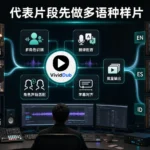




Integrating video localization directly into the video editing workflow eliminates the common friction points that happen when localization is treated as a separate, final step after a video is fully locked. Many teams run into unnecessary reworks, misaligned visual elements, and missed deadlines when they hand off a finished master file to localization teams with no prior context of the edit process. Building localization into the core editing pipeline creates a far smoother process, preserves creative intent across every localized version, and ensures that every adapted video stays consistent with the original vision while fitting the needs of target regional audiences.
Pre-localization asset preparation during the rough cut phase
The integration process can start long before the final edit is complete, as soon as the rough cut has a locked structure and core timing. Editing teams can separate all non-dialogue visual elements, on-screen text layers, motion graphics, and lower thirds into independent, easily adjustable tracks instead of baking them permanently into the main video sequence. This means localization teams will not need to ask editors to rework the entire master file later just to swap out a single line of on-screen text or adjust a graphic to fit a longer translated phrase.
During this phase, editors can also create a shared reference folder that includes the full source script, timecode logs for every key audio and visual segment, notes on tone and creative intent for specific scenes, and a list of brand-specific terms that need consistent pronunciation or phrasing across all localized versions. This shared context eliminates the back-and-forth that usually happens when localization teams receive a video file with no supporting context, and it lets translators and voice talent start their work in parallel while the editing team polishes the final visual details of the source video.
Timeline-aligned syncing and iterative adjustment workflows
Once the first pass of localized translation and audio assets are ready, they can be imported directly into the existing editing timeline alongside the source video tracks, rather than being processed in a completely separate tool. Editors can map the new localized voiceover tracks to the exact timecode markers from the original edit, adjusting small gaps, trimming pauses, or shifting non-critical visual elements slightly to make room for the natural rhythm of the new audio. This avoids the common problem where localized audio runs too long and cuts off key visual beats, or runs too short and leaves awkward empty gaps in the flow of the video.
This integrated setup also makes iterative feedback far easier to manage. If a localization reviewer notes that a line of dialogue feels misaligned with the on-screen action, or that a subtitle block covers a critical visual detail, editors can make that adjustment directly in the same timeline without needing to send files back and forth across multiple teams. Every change is logged against the original timecode, so there is no confusion about which segment is being adjusted, and all localized versions stay aligned to the same core edit structure.
Post-localization quality checks tied to editing review cycles
Instead of running localization quality checks as a separate final step after editing is fully complete, teams can fold these checks into the existing editing review workflow that the creative team already uses. Editors can create shared review cuts that show the source video side by side with the newly localized version, so both the original creative team and the local localization reviewers can sign off on sync, tone, and visual alignment at the same time. This catches issues like misaligned motion graphics, incorrectly placed text, or audio that clashes with on-screen action long before the video is exported for final delivery.
This integrated review process also makes it much easier to preserve creative intent across every localized version. The original editors, who know every small creative choice in the source video, can work directly with localization specialists to make sure that no subtle visual joke, emotional beat, or key piece of context gets lost in the adaptation. There is no disconnect between the team that built the video and the team that is adapting it for new markets, so every localized output feels intentional, polished, and true to the original creative vision.
Batch export and version control for multi-language rollouts
When all localized assets are fully synced and reviewed in the core editing timeline, teams can set up structured versioning that keeps every language variant organized without creating messy, duplicate copies of the entire project file. Editors can use the separated tracks they set up in the rough cut phase to toggle between different audio, subtitle, and graphic layers for each target language, exporting each final version directly from the same master project. This eliminates the risk of mismatched edits, where one localized version misses a last-minute correction that was added to the source video.
This level of integration also makes future updates far more efficient. If the source video needs a small adjustment to a single line of dialogue or on-screen graphic, editors can apply that change once in the master timeline, then push that update out to every single localized version in a single pass. There is no need to rework every separate localized file one by one, which cuts down update turnaround time dramatically and ensures that every regional version stays consistent with the latest iteration of the source content.